Downloading a new app should be simple and safe. After all, you’re using the official Google Play Store or Apple App Store — places that promise to weed out dangerous apps before they ever reach your phone. Yet, here we are in 2026, and millions of people are still getting burned by malicious apps that slip past these supposedly tight security checks. Some steal your data, others quietly sign you up for hidden subscriptions, and a few can burrow so deep into your device that even a factory reset can’t kick them out. If you think this only happens to people who download sketchy apps from odd corners of the internet, think again. It’s happening in broad daylight, right inside the stores we trust most. If you use a smartphone, tablet, or even a smart TV, this is your reality — and it’s time to get smart about how you pick and manage your apps.
Why Official App Stores Aren’t As Safe As You Think
Let’s start with a myth that’s dangerously common: "If it’s in the Play Store or App Store, it must be safe." Both Google and Apple do put apps through security checks, and they remove thousands of bad actors every year. But the sheer volume of submissions — millions annually — means some slip through. In 2025 alone, Google blocked 1.75 million policy-violating apps from its store, which sounds impressive until you realize that it’s actually fewer than the year before. And that’s just what they caught before publication. The ones that make it through can be downloaded by millions before anyone realizes something’s wrong.
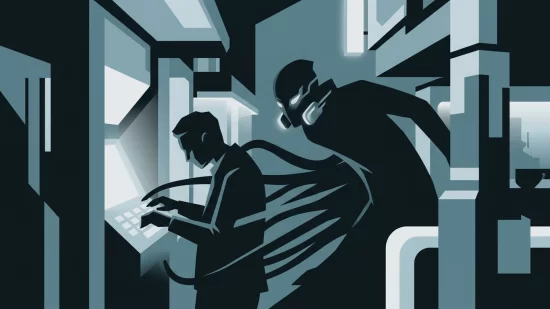
One of the most alarming recent examples is the 'NoVoice' malware. In April 2026, over 50 apps infected with NoVoice were found on the Play Store, racking up 2.3 million downloads. These weren’t obscure apps hiding in the shadows — they were right there, available to anyone. NoVoice could steal your data, gain root access (meaning it could control your device at the deepest level), and even survive a factory reset. That’s not just a nuisance. That’s a full-blown invasion of your privacy and security.
How Dangerous Apps Get Through The Cracks
You might wonder, "How do these apps get past Google and Apple’s defenses?" The answer is a mix of clever tactics and the limits of automated reviews. Malicious developers constantly evolve their methods. Sometimes, a seemingly innocent app will pass review, then update itself with harmful code later. Other times, malware is hidden so well that even advanced scanning tools miss it. And with the rise of Progressive Web Apps (PWAs), attackers have found new ways to trick users. Fake app stores now use PWAs to mimic real apps, creating icons that look legitimate but actually lead to scam websites or install harmful software.
Even if an app gets caught and removed, there’s a catch: the responsibility to delete it often falls on you. Google and Apple can pull apps from their stores, but they can’t reach into your device and delete them for you. That means millions of people may still have dangerous apps lurking on their phones, long after the threat is officially “fixed.”
Why Millions Of Users Never Realize Their Data Was Exposed
Most malicious apps aren’t obvious about their intentions. They might pose as photo editors, fitness trackers, or even simple flashlight apps. You download, use them a few times, and forget about them. Meanwhile, in the background, they’re quietly harvesting your contacts, reading your messages, or signing you up for expensive subscriptions you didn’t agree to. Some, like the NoVoice malware, can even survive a factory reset, meaning wiping your phone isn’t always enough to get rid of them.
It can take weeks or months before users notice something is wrong — maybe you see strange charges on your bank statement, or your phone starts acting up. By then, your personal information could already be in the hands of criminals, sold on shady corners of the internet or used for identity theft.
Misconceptions That Put You At Risk
- "Only apps with lots of permissions are dangerous." Not true. While it’s smart to be wary of apps asking for access to your contacts or camera, some malicious apps get by with minimal permissions, or they ask for more after you’ve already installed them.
- "A factory reset will wipe out any malware." Sadly, not always. Advanced malware like NoVoice can hide in parts of your device that a standard reset doesn’t touch.
- "If an app has lots of positive reviews, it must be safe." Fake reviews are big business. Fraudsters can flood an app with glowing feedback to lure you in. Always look for detailed, balanced reviews and be suspicious of generic praise or a sudden spike in ratings.
- "Apple’s App Store is immune to malware." While Apple’s review process is stricter, it’s not perfect. Harmful apps have slipped through on iOS as well, and users should be just as cautious.
Real-World Scenarios: What Happens When Malicious Apps Strike
Let’s make this real. Imagine you download a popular-looking photo editor from the Play Store. It works fine at first, but over the next few weeks, you notice your phone’s battery drains faster, and you start seeing odd pop-ups. Then, your bank contacts you about suspicious activity — someone tried to access your account from another country. Or maybe you get hit with a hefty bill for a subscription you never signed up for. You try resetting your phone, but the problems persist. That’s the kind of chaos a single malicious app can cause.
Even if you don’t lose money, the stress and confusion are real. You might spend hours trying to figure out what happened, worrying about what data was stolen, and feeling embarrassed that you were tricked. This isn’t just an inconvenience — it’s a violation of your trust and peace of mind.
Spotting Dangerous Apps Before You Download
So, how do you avoid becoming the next victim? Here’s what to check before you tap “Install” — even in the official stores:
- Check the developer’s name and history. Is this a well-known company, or someone you’ve never heard of? Click on the developer’s profile to see what else they’ve published. A reputable developer usually has a consistent track record.
- Read the reviews — all of them. Don’t just glance at the star rating. Look for detailed feedback, especially recent reviews. Watch out for lots of generic praise (“Great app!”) posted close together, which can signal fake reviews.
- Scrutinize the app description and screenshots. Poor grammar, awkward phrasing, or mismatched images can be red flags. Legitimate apps take care with their presentation.
- Check the permissions before installing. Does a calculator app really need access to your contacts or location? If something feels off, trust your instincts and look for alternatives.
- Look up the app online. A quick search for the app’s name plus “malware” or “scam” can reveal recent warnings or news stories.
Five Steps That Actually Reduce Your Risk
- Stick to official app stores — but don’t let your guard down. Avoid downloading apps from third-party sites or links sent via email or text. But remember, even official stores aren’t foolproof.
- Update your device and apps regularly. Updates often include security patches that close newly discovered loopholes. Don’t ignore those update notifications.
- Use reputable mobile security software. A good security app can scan for known threats and alert you to suspicious behavior. Choose one with positive reviews from trusted sources.
- Review your installed apps periodically. Go through your device every few months and delete anything you don’t recognize or no longer use. This reduces your attack surface.
- Be cautious with permissions. Only grant apps the access they truly need. If an app asks for something that doesn’t make sense, deny it or uninstall the app.
What To Do If You Think You’ve Downloaded A Malicious App
If you suspect an app is up to no good, act quickly:
- Uninstall the app immediately. This is your first line of defense. Don’t wait to see if things get worse.
- Run a security scan. Use trusted mobile security software to check for lingering threats.
- Change your passwords. Especially for any accounts you accessed while the app was installed. Consider enabling two-factor authentication for extra protection.
- Monitor your accounts. Watch for unusual activity on your bank, email, and social media accounts. Report anything suspicious right away.
- Consider a professional check-up. If your device still acts strangely after removing the app, or if you suspect deep-rooted malware, get help from a qualified technician.
Why Companies and Platforms Need To Do Better
It’s not fair — or realistic — to expect everyday users to be security experts. Google and Apple talk a big game about protecting users, but clearly, their systems aren’t catching everything. When millions of people can download a single piece of malware from the official store, something is broken. Companies need to invest more in both automated and human review, respond faster to reports, and make it easier for users to know when they’ve been affected. Until they do, users are left to fend for themselves far too often.
Looking Ahead: Staying Safe In A World Of Tricky Apps
Malicious apps aren’t going away. If anything, attackers are getting smarter and more creative. But you don’t need to live in fear or swear off new apps entirely. By staying alert, questioning what you download, and taking a few simple precautions, you can enjoy your devices with confidence. Remember: security isn’t about paranoia — it’s about being just cautious enough to avoid the most common traps. And if you ever feel out of your depth, ask for help. That’s what friends (and LuzCtrl) are here for.
Risk Level: High. Malicious apps in official app stores are a widespread, actively exploited threat with serious consequences for privacy, finances, and device security. Vigilance and proactive habits are essential.