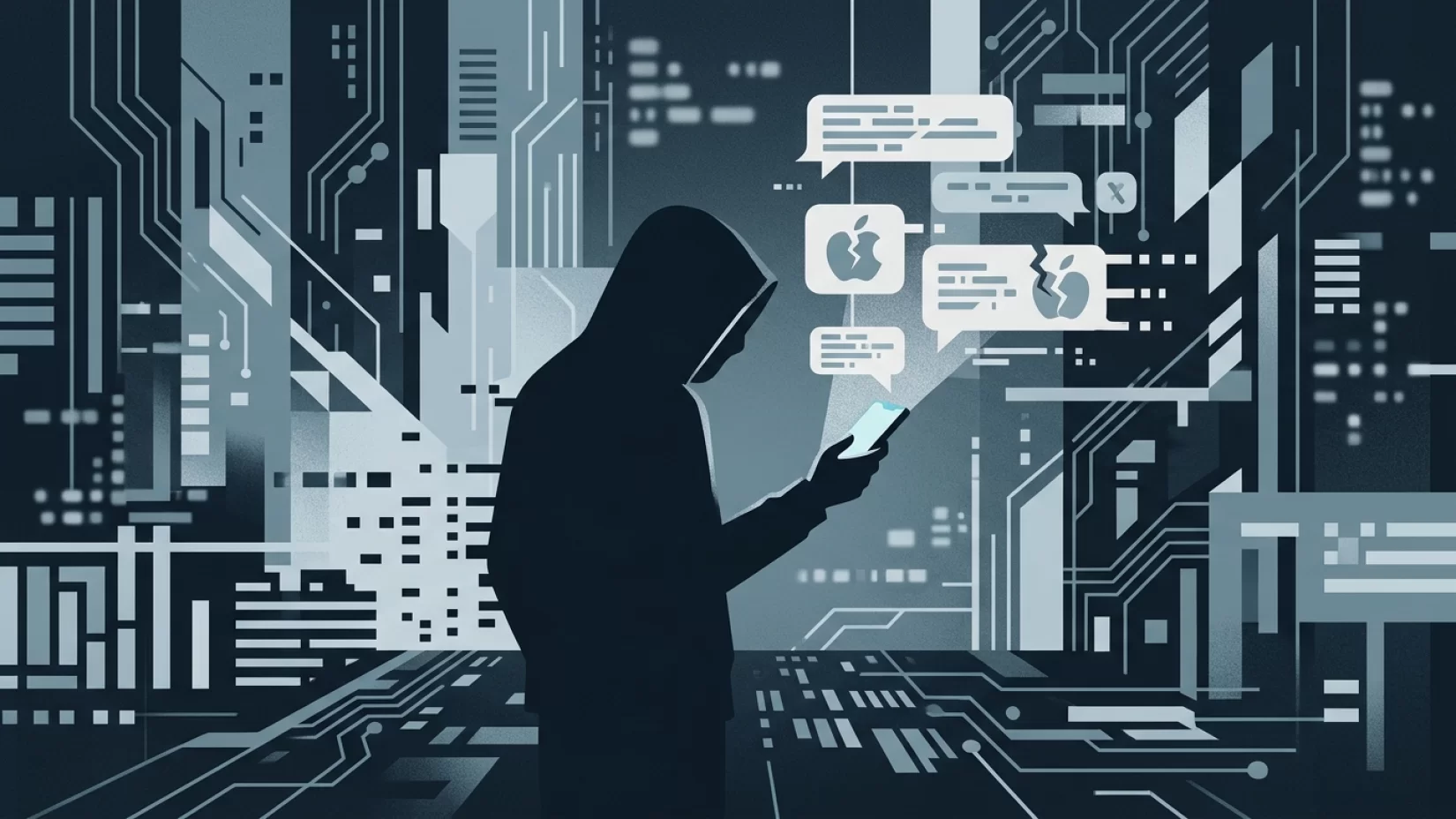
Imagine you’re going about your day, when suddenly your iPhone buzzes with a text: “Apple Pay Alert: We detected an unauthorized transaction. Call Apple Support now at 1-800-XXX-XXXX to secure your account.” Your heart skips a beat. It looks official. It feels urgent. Before you know it, you’re dialing the number, desperate to protect your money — but on the other end, it’s not Apple. It’s a scammer, and you’re their next target.
This isn’t a rare story. In 2024 alone, consumers lost a staggering $470 million to text scams, according to the Federal Trade Commission. And the wave of fake Apple Pay fraud texts is hitting iPhone users worldwide, with scammers getting bolder and more sophisticated. If you use Apple Pay — or even just own an iPhone — this threat is uncomfortably close to home.
So, what do these scam texts look like? Why are so many people falling for them? And most importantly, what can you do to protect yourself and your loved ones? Let’s break down the real risks, the tricks scammers use, and the practical steps that actually make a difference.
What These Fake Apple Pay Texts Actually Look Like
Scam texts targeting iPhone users often mimic the style and urgency of real Apple Pay alerts. They might say:
- “Apple Pay Fraud Alert: Suspicious transaction detected. Call 1-800-XXX-XXXX immediately.”
- “Your Apple Pay has been locked due to unauthorized activity. Contact Apple Support at [number] to restore access.”
- “Unusual Apple Pay login attempt. Reply STOP to cancel or call [number] for help.”
Notice the pattern? There’s always a sense of urgency — a warning that something bad just happened, and you need to act now. The message includes a phone number or sometimes a link, pushing you to respond quickly before you have time to think.
These messages can look shockingly convincing. Some even spoof (fake) the sender name, so it appears as if it’s coming from “Apple” or “Apple Pay.” But no matter how official it looks, if it’s unsolicited and asks you to call a number or click a link, it’s a red flag.
Why These Scams Are So Effective — And Who’s At Risk
Scammers know how to push our buttons. They rely on fear, urgency, and our trust in technology. With Apple Pay becoming a daily tool for millions, a warning about your account feels personal and high-stakes.
Here’s why these scams work so well:
- They exploit trust: Apple is a trusted brand. Many people believe official-looking messages, especially when they reference something as sensitive as payments.
- They create panic: The threat of losing money or access to your account makes it hard to think clearly.
- They prey on busy moments: Scammers know you’re likely to react quickly when distracted or stressed.
Who’s being targeted? It’s not just tech novices or older adults. In fact, the sheer number of iPhone users means anyone — from students to professionals — can be caught off guard. The FTC’s numbers show this isn’t a niche problem: millions are at risk, and losses are mounting year after year.
What Really Happens If You Respond
Let’s walk through a typical scenario. You get the text, and you call the number provided. A “support agent” answers, sounding professional and reassuring. They claim they need to verify your identity or secure your account. Here’s what they might ask for:
- Your Apple ID email and password
- Two-factor authentication (2FA) codes sent to your phone
- Your credit card or bank information
- Personal details like your address, date of birth, or even Social Security number
Sometimes, they’ll pressure you to install remote control apps or even withdraw cash from your bank — all under the guise of “protecting” you. In the worst cases, victims hand over enough information for scammers to drain accounts, make fraudulent purchases, or steal identities.
Real-world consequences can be brutal. Financial loss is just the beginning. Victims often face weeks or months of stress, hours spent on the phone with banks, and the ongoing fear that their information is still out there. Trust in technology can take a serious hit, making everyday digital tasks feel risky and exhausting.
Common Misconceptions That Put You At Risk
Let’s clear up a few myths that scammers love to exploit:
- Myth: If a message uses Apple’s logo or looks official, it must be real.
Reality: Logos and formatting are easy to fake. Even sender names can be spoofed. - Myth: Apple might need my PIN or 2FA code to verify my identity.
Reality: Apple will never ask for your PIN, sign-in codes, or 2FA details via text, email, or phone. Ever. - Myth: Only people who click links are at risk.
Reality: Calling a number in a scam text can be just as dangerous. Scammers use phone calls to extract sensitive info. - Myth: If I don’t use Apple Pay, I can ignore these messages.
Reality: Scammers cast a wide net. Even non-users can be targeted, and the tactics are easily adapted to other services.
Believing any of these myths can open the door to disaster. Staying skeptical — not scared, just cautious — is your best defense.
Why Millions Of Users Never Realize Their Data Was Exposed
One of the most unsettling aspects of these scams is how quietly they can unfold. Many people don’t realize they’ve given away critical information until long after the fact. Here’s why:
- Delayed consequences: Scammers sometimes wait days or weeks before using stolen information, making it harder to connect the dots.
- Subtle misuse: Instead of draining your account all at once, scammers may make small, less noticeable transactions.
- Multiple victims: Your data may be sold to other criminals, multiplying the risk and confusion.
By the time you notice strange charges or account issues, the damage may already be done. That’s why prevention and early detection are so important.
Real Examples: The Global Impact Of Apple Pay Scam Texts
This isn’t just a theoretical risk. In December 2024, authorities in Western Australia arrested four men accused of scamming bank customers out of more than $350,000 using fake text messages. Many of their victims were tricked into calling bogus support numbers, where scammers posed as Apple Pay or bank representatives.
In October 2024, a wave of phishing emails and texts targeting Apple Pay users swept through Europe, with victims reporting unauthorized transactions and identity theft after responding to messages that looked convincingly real.
These are just the cases that make headlines. Most scams go unreported, with victims feeling embarrassed or unsure what to do next. Remember: falling for a scam doesn’t mean you’re careless — it means the attackers are skilled at what they do.
Five Steps That Actually Reduce Your Risk
You don’t need to be a security expert to protect yourself. Here’s what really works:
- Don’t respond to unsolicited messages. If you get a text claiming to be from Apple (or any company) and it asks you to call a number, click a link, or provide personal info, ignore it. Official companies won’t ask for sensitive details this way.
- Verify through official channels. If you’re worried about your Apple Pay or iPhone security, open the official Apple Support app or visit Apple’s website directly. Never use contact info from a suspicious message.
- Report suspicious messages. Forward scam texts to Apple at reportphishing@apple.com. You’re helping protect yourself and others.
- Educate yourself and your circle. Talk to friends and family about these scams. Awareness is powerful, especially for those who might feel less tech-savvy.
- Use built-in security features. Enable two-factor authentication (2FA) on your Apple ID, and regularly review your account activity for anything unusual. While 2FA isn’t foolproof, it’s an important layer of defense.
There’s no magic app that can spot every scam, but keeping your device’s software updated and using Apple’s built-in spam filters can help reduce unwanted messages. Still, no tool is perfect — your own caution is your strongest protection.
What To Do If You’ve Already Responded
If you’ve already called a number or shared information with someone you now suspect was a scammer, don’t panic — but act quickly:
- Change your Apple ID password and enable (or re-enable) two-factor authentication.
- Contact your bank or credit card provider to flag your accounts for fraud.
- Monitor your accounts for unusual activity over the next few months.
- Report the incident to Apple and your local authorities. You may also want to check with your country’s consumer protection agency for further advice.
Remember, you’re not alone. Many people have been in your shoes, and recovery is possible — but the sooner you act, the better your chances of minimizing harm.
Looking Ahead: Why This Problem Isn’t Going Away
Scammers are relentless because these tactics work. As digital payments become more common, the value of your personal information — and the creativity of those trying to steal it — will only increase. Companies like Apple have strong security measures in place, but they can’t stop criminals from sending fake messages or making convincing phone calls.
There’s no patch for human psychology. That’s why education and skepticism are so important. By staying informed, sharing knowledge, and refusing to be rushed into decisions, you can make yourself a much harder target.
Digital tools make life easier, but they also demand new habits. Being careful isn’t about paranoia — it’s about confidence. You deserve to use your devices and money without fear. With a few simple habits and a healthy dose of skepticism, you can keep your information — and your peace of mind — safe.
Final Thoughts: Confidence, Not Fear
It’s easy to feel overwhelmed by stories of scams and digital threats. But remember: most of these attacks succeed because they catch us off guard, not because we’re careless. The more you know, the more confidently you can spot — and stop — a scam before it causes harm.
If you’ve made it this far, you’re already ahead of the curve. Share what you’ve learned, trust your instincts, and don’t let scammers steal your sense of security. Stay safe, stay curious, and keep control over your digital life.