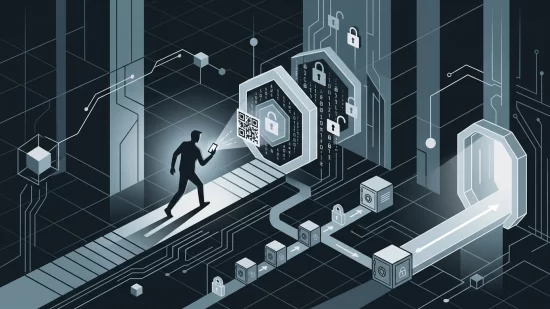
Picture this: you’re at an airport, your phone’s battery is hanging on by a thread, and you spot a free USB charging station. Relief, right? You plug in, maybe check your boarding pass or message a friend, and move on. But what if that quick charge actually handed a stranger the keys to your digital life? It’s not just a wild story — it’s a real risk called "juice jacking," and it’s serious enough that the FBI has repeatedly warned travelers about it. If you’ve ever used a public USB port to charge your phone or tablet, this is something you need to know about — not to scare you, but so you can avoid a headache you never saw coming.
Juice Jacking: What Is It, Really?
Let’s get straight to the point. Juice jacking is a cyberattack that takes advantage of the fact that USB ports are designed for both charging and data transfer. When you plug your device into a public USB port — like those found in airports, malls, hotels, or conference centers — you’re not just getting power. You’re also potentially opening a door for attackers to access your data or install malware (malicious software that can steal information, spy on you, or damage your device).
Think of a USB port as a two-way street: one lane for electricity, the other for data. If someone tampers with that port, they can use the data lane to do things you’d never notice in the moment. That’s what makes juice jacking so sneaky and frustrating — you can’t tell just by looking at a charging station whether it’s safe or compromised.
Why the FBI and Security Experts Are Concerned
This isn’t just a theoretical risk. In April 2023, the FBI’s Denver field office issued a public warning: avoid using free public USB charging stations, because cybercriminals have figured out how to use them to install malware or monitoring software on your devices. The fact that a major law enforcement agency is telling ordinary people to steer clear should make anyone sit up and pay attention.
Security researchers have shown that it’s possible for attackers to modify charging kiosks or even leave behind malicious USB cables. Once a device is connected, malware can be installed in seconds, or sensitive data (like contacts, emails, or passwords) can be copied without your knowledge. While manufacturers have added some protections — like pop-up warnings when a device is connected for data transfer — these aren’t foolproof. Not every device is up to date, and not every user knows what those warnings mean.
Who Actually Gets Targeted?
You might think, “I’m not a celebrity or a CEO, so why would anyone bother with my phone?” But that’s not how these attacks work. Juice jacking doesn’t target specific people; it targets anyone who plugs in. Millions of travelers, students, remote workers, families on vacation, and everyday smartphone users are all potential victims. Airports and shopping centers are especially risky, simply because so many people are desperate for a quick charge.
It’s also a misconception that only older devices are vulnerable. While newer phones and tablets have more security features, they’re not immune. Attackers are constantly looking for ways around those defenses, and not every software update catches every trick.
What Can Actually Go Wrong?
Let’s break down what juice jacking can do, so you understand why this isn’t just a minor inconvenience:
- Malware Installation: Malicious software can be placed on your device, letting someone spy on your activity, steal your logins, or even lock you out entirely.
- Data Theft: Attackers can copy your contacts, emails, photos, and other sensitive information — all while you’re just trying to charge your phone.
- Identity Theft & Financial Fraud: With enough stolen data, criminals can impersonate you, access your accounts, or commit fraud in your name.
- Device Malfunction: Some malware can cause your phone or tablet to slow down, freeze, or even become unusable.
Imagine the stress of losing access to your banking app right before a trip, or the embarrassment of friends getting strange messages from your hacked accounts. It’s not just about the device — it’s about your privacy, your money, and your peace of mind.
Misconceptions That Put People at Risk
It’s easy to brush off juice jacking as some far-off, movie-style hack. But this attitude leaves people exposed. Here are a few myths worth clearing up:
- “Public charging stations are safe — they’re everywhere.”
Just because something is common doesn’t mean it’s secure. Public USB ports are attractive targets precisely because so many people use them without thinking. - “My phone is new, so I’m protected.”
While newer devices have better security, no phone or tablet is invincible. Attackers adapt quickly, and software bugs do happen. - “I’d notice if something was wrong.”
Juice jacking attacks are designed to be invisible. You won’t see a warning, and your device will look and act normal — until it’s too late.
Why Millions of Users Never Realize Their Data Was Exposed
One of the worst parts about juice jacking is that most victims never realize it happened. There’s no obvious sign your device has been compromised. You might only notice something’s wrong after strange charges appear on your credit card, or friends receive odd messages from your account. By then, the attacker has already made off with your data.
This silent nature is what makes juice jacking so dangerous. Unlike losing your phone (which you notice instantly), a compromised device keeps working — while quietly leaking your information in the background.
Five Steps That Actually Reduce Your Risk
Thankfully, you don’t have to give up charging your phone in public forever. With a few smart habits, you can stay powered up and protected:
- Use Your Own Charger and Plug Into an Electrical Outlet.
Wall outlets only deliver power, not data. Carry your own charging brick and cable, and you’re much safer. - Carry a Portable Charger (Power Bank).
These are lifesavers when you’re on the go. Charge it at home, and you’ll never need a public port. - Try a USB Data Blocker (“USB Condom”).
This tiny adapter blocks the data pins in a USB cable, letting only power through. It’s an inexpensive way to make public charging safer. - Keep Your Device’s Software Up to Date.
Manufacturers regularly patch security flaws. Make sure you install updates as soon as they’re available. - Pay Attention to Pop-Ups and Permissions.
If your phone asks whether to "trust this computer" or "allow data access," always say no when charging in public. If in doubt, unplug and use a safer option.
What If You’re Stuck With No Other Option?
Sometimes, you really have no choice but to use a public USB port. If this happens, here’s what you can do to reduce your risk:
- Turn your device off before plugging in. This isn’t foolproof, but it makes data transfer harder.
- Use a data-only cable (some charging cables don’t have the wires for data at all).
- Unplug as soon as you have enough battery to get by, rather than leaving your device connected for a long time.
And if you notice anything strange — like your phone acting up after charging in public — run a security scan, change your passwords, and watch your accounts for suspicious activity.
Broader Implications: Why This Problem Isn’t Going Away
USB charging stations are only getting more common. Airports, hotels, and shopping centers want to offer convenience, but not all of them are thinking about security. Meanwhile, cybercriminals are always looking for new ways to exploit popular technology. Until device makers and infrastructure providers find a universal fix, juice jacking will remain a risk for anyone who relies on their phone or tablet while out and about.
It’s frustrating, but it’s also empowering to know you can protect yourself with a little preparation. You don’t need to be a tech expert — just a little bit skeptical and a lot more careful about where you plug in.
Final Thoughts: Stay Powered, Stay Protected
Juice jacking isn’t the most glamorous cyber threat, but it’s one that could hit anyone with a phone and a low battery. The risk is real, but so are the solutions. Carry your own charger, invest in a power bank, and think twice before using that shiny public USB port. Your data — and your peace of mind — are worth a little extra effort.
Stay safe, stay charged, and don’t let convenience put your privacy at risk. If you have questions or need more tips, LuzCtrl is always here to help you navigate the digital world with confidence.