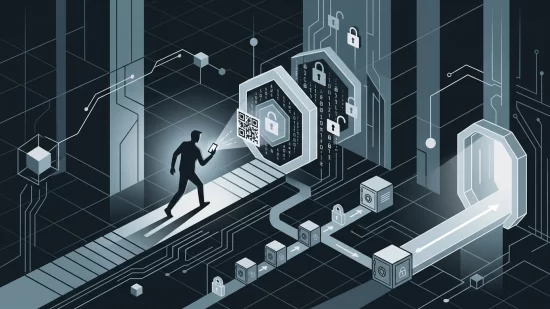
Imagine you’re browsing a trusted website — maybe your university portal, a tech blog, or even your favorite online store. Suddenly, a familiar-looking CAPTCHA pops up, asking you to prove you’re not a robot. You’ve seen these a thousand times before. But this time, something’s off. Instead of just clicking boxes or typing squiggly letters, you’re told to copy and paste a command into your computer’s terminal or command prompt. It feels odd, but the page looks legitimate, and you just want to get on with your day. What’s the harm?
This is exactly how the ClickFix scam works — and it’s become one of the most successful cyberattack techniques in recent years. If you think you’d never fall for something like this, you’re not alone. But cybercriminals are counting on your trust in familiar websites and your desire to follow instructions. In 2025, Microsoft reported that nearly half of all cyberattacks used this method. The consequences? Stolen passwords, emptied crypto wallets, hijacked accounts, and computers turned into unwilling bots for even more attacks.
Let’s break down what makes ClickFix so dangerous, how it’s become so widespread, and — most importantly — how you can spot and avoid it, even when it’s hiding in plain sight.
ClickFix: The Scam That Turns You Into Your Own Hacker
ClickFix isn’t your typical malware. Instead of sneaking in through a hidden software flaw, it tricks you into doing the dirty work yourself. Here’s how it usually unfolds:
- You visit a website (sometimes even one you trust).
- A CAPTCHA or security check appears, but instead of the usual puzzles, it presents a message: “Copy this command and paste it into your terminal to continue.”
- When you copy the text, your clipboard is silently replaced with a dangerous command — not what you saw on the page.
- If you paste and run this command, you’ve just given the attacker full control to install malware, steal data, or worse.
This isn’t a far-fetched scenario. In May 2026, over 700 education and tech websites were hijacked to deliver ClickFix malware, catching thousands off guard. In March, hackers compromised WordPress sites, spreading the attack even further. These weren’t shady corners of the internet — they were places people trusted.
Why ClickFix Works: Familiarity, Trust, and a Dash of Urgency
Why are so many people falling for this? The answer lies in a perfect storm of trust and routine. CAPTCHAs are everywhere. They’re supposed to keep us safe, so our guard drops. When a website you know asks for a little extra verification, it’s easy to think it’s just another layer of security.
ClickFix also preys on our desire for quick solutions. If you’re locked out of an account or blocked from content, you’re more likely to follow instructions — even if they seem a bit odd. And because the page often looks polished and uses the same branding as the real site, any suspicion fades fast.
Who’s at Risk? (Spoiler: It’s Not Just Tech Newbies)
If you use the internet — on a Windows PC, Mac, or even a modern browser — you’re a potential target. ClickFix doesn’t care if you’re a student, a remote worker, a parent, or a crypto enthusiast. In fact, its success comes from targeting everyone, not just those who are less tech-savvy.
One big misconception is that only sketchy or unfamiliar websites spread these attacks. In reality, attackers often compromise popular, legitimate sites. In the May 2026 campaign, education and tech sites — platforms people rely on daily — were hijacked. Another myth is that ClickFix only affects Windows users. Not true. While Windows is a major target, macOS and even some Linux users have been caught by similar tricks.
What Happens If You Fall For It?
The consequences can be immediate or slow-burning. Here’s what might happen:
- Stolen passwords and browser credentials: Malware can grab saved logins from browsers like Chrome, Firefox, or Edge.
- Hijacked crypto wallets: If you manage cryptocurrency, your wallet details could be copied and sent to criminals.
- System instability: Some malware can make your device slow, unresponsive, or even unusable.
- Identity theft: With access to your personal files and accounts, attackers can impersonate you or drain your finances.
- Spreading the attack: Infected computers can be used to attack others — sometimes without you ever knowing.
Beyond the technical damage, there’s a human cost: the stress of dealing with lost accounts, the embarrassment of explaining what happened, and the anxiety of wondering what else might be at risk. These are real, everyday consequences — not just numbers in a report.
Why Antivirus Alone Isn’t Enough
Many people assume that having antivirus software is a silver bullet. Unfortunately, ClickFix sidesteps most traditional defenses. Since you’re the one running the command, your computer thinks you’re in control. Antivirus tools may not recognize the threat until after the damage is done.
That’s not to say security software is useless — far from it. But relying on it alone is like locking your front door and leaving the window wide open. ClickFix is a reminder that cybercriminals are always looking for new ways to exploit human behavior, not just software bugs.
Spotting a Fake CAPTCHA: Red Flags to Watch For
So, how do you tell a genuine security check from a ClickFix trap? Here are some warning signs:
- Unusual instructions: Real CAPTCHAs never ask you to copy and paste commands into your terminal or command prompt. If you see this, stop immediately.
- Clipboard trickery: If you copy text and something different appears when you paste it, that’s a huge red flag.
- Security checks on login pages: Be wary if extra steps appear after entering your password, especially if you’re not expecting them.
- Poor grammar or odd language: Many fake pages are sloppily written, though some are very convincing. If something feels off, trust your gut.
- Requests for system-level actions: No legitimate website will ever ask you to run commands as an administrator or root user.
If you’re unsure, close the tab and revisit the site directly by typing the address into your browser. Don’t follow instructions from pop-ups or unexpected prompts, especially if they involve your computer’s terminal.
Five Steps That Actually Reduce Your Risk
- Pause before you act: If a website asks you to do something unusual — especially copying and pasting commands — take a moment. Ask yourself if this makes sense.
- Keep software updated: Modern browsers like Opera have started adding features like ‘Paste Protect’ to warn you about suspicious clipboard activity. Make sure your browser and operating system are always up to date.
- Use layered security: Good security software can help, especially those with real-time protection. But remember, no tool is perfect. Combine this with smart habits.
- Educate yourself and others: Share what you know about ClickFix with family, friends, and colleagues. The more people understand these tricks, the less effective they become.
- Check your clipboard: After copying anything from a suspicious page, paste it into a text editor (like Notepad) first to see what’s really there. If it doesn’t match what you copied, do not run it.
Misconceptions That Put You At Risk
- “It can’t happen to me — I only visit safe sites.” As recent attacks show, even trusted sites can be compromised. Always stay alert.
- “I use a Mac, so I’m safe.” ClickFix has targeted both Windows and macOS users. No system is immune.
- “My antivirus will catch everything.” As explained, ClickFix tricks you into running the command yourself, making it harder for traditional tools to stop.
It’s not about paranoia — it’s about healthy skepticism. If something feels strange, it’s worth double-checking.
What If You Think You’ve Been Hit?
If you realize you’ve run a suspicious command, don’t panic — but act quickly:
- Disconnect your computer from the internet to prevent further data theft.
- Run a full scan with your security software.
- Change passwords for sensitive accounts, especially if you use browser-saved logins.
- Consider seeking help from a trusted tech support professional.
- Monitor your financial accounts for unusual activity.
Remember, embarrassment is normal, but silence helps attackers. Reporting incidents helps others stay safe and can sometimes limit the damage.
Why This Attack Isn’t Going Away Soon
ClickFix represents a shift in how cyberattacks happen. Instead of just looking for technical flaws, attackers are manipulating us — the users. As long as people trust what they see on their screens, these tricks will keep evolving.
Some browsers and operating systems are starting to fight back. Features like Opera’s ‘Paste Protect’ and new warnings in macOS’s Terminal are steps in the right direction. But a complete fix is still in the works, and attackers are quick to adapt. For now, the best defense is a combination of updated software, smart habits, and a little caution.
Building Confidence, Not Fear
It’s easy to feel overwhelmed by stories of new scams and malware. But knowledge is power. By understanding how ClickFix works and staying alert for its tricks, you can protect yourself and help others do the same. Most importantly, don’t let fear paralyze you. The internet is still a place for learning, connection, and fun — just with a bit more attention to the details that keep us safe.
If you remember one thing, let it be this: No legitimate website will ever ask you to copy and run commands in your terminal. When in doubt, pause, double-check, and ask for help. You’re not alone in this — and you’re more capable than you think.