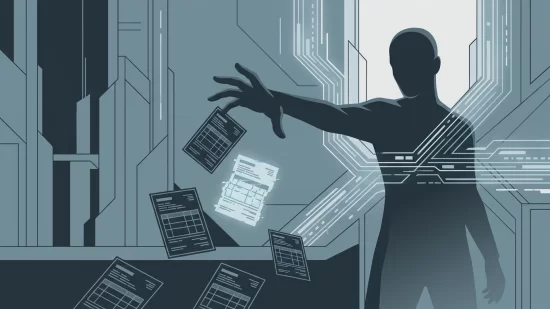
It’s easy to think of your phone as a safe, personal space—especially when you’re using it to check your bank balance, pay bills, or send money to friends. But in 2026, a new breed of mobile malware is quietly making that trust a dangerous assumption. Banking trojans are targeting Android phones worldwide, using the very features meant to assist users with disabilities to steal money right out of bank accounts. These attacks don’t just skim passwords or trick you with fake emails. They watch, wait, and strike in real time, sometimes while you’re literally looking at your screen. If you use mobile banking, this is one threat you can’t afford to ignore.
Why Accessibility Features Are a Target for Banking Trojans
Android’s Accessibility Service is designed to help people with disabilities use their devices more easily. It allows apps to read what’s on the screen, tap buttons, and even enter text automatically. For people who need assistance, it’s a lifeline. Unfortunately, cybercriminals see it as a golden opportunity.
When a malicious app gains access to Accessibility Services, it can do far more than just help. It can monitor every tap and swipe, overlay fake login screens on top of your real banking app, intercept one-time codes, and even approve transactions without your knowledge. This is not some far-fetched scenario—it’s happening right now, and it’s affecting users across the globe.
Banking Trojans in 2026: More Sophisticated, Harder to Spot
Banking trojans have been around for years, but recent versions have become disturbingly advanced. In 2023, Malwarebytes detected over 88,000 instances of these threats on Android devices. Trojans like Chameleon and Nexus aren’t just stealing passwords—they’re actively bypassing biometric security, like fingerprint and facial recognition, by disabling these features or tricking users into revealing PINs and passwords.
Take the Chameleon trojan, for example. Security researchers found it could disable fingerprint unlock, forcing users to enter their PINs, which the malware then captures. Nexus, available as a “malware-as-a-service” to cybercriminals, has been used to target more than 450 banks and cryptocurrency services worldwide. And in July 2025, the Anatsa trojan infiltrated the Google Play Store itself, affecting about 50,000 users in North America by overlaying fake login screens on top of legitimate banking apps.
These aren’t isolated incidents. They’re part of a growing trend, and the tactics are only getting more refined.
What Does a Banking Trojan Attack Look Like?
It’s easy to imagine malware as something obvious—pop-ups, weird messages, or your phone slowing to a crawl. But banking trojans are designed to blend in. Here’s how a typical attack unfolds:
- Step 1: The Malicious App — You install what looks like a normal app: maybe a utility, a game, or even a fake banking app. Sometimes, these apps make it onto the Google Play Store, but more often they’re found on third-party app stores or via links in text messages and emails.
- Step 2: Accessibility Permissions — During installation or first use, the app asks for Accessibility Service permissions. The request might sound legitimate, claiming it’s needed for extra features or to help with notifications.
- Step 3: Lurking in the Background — Once granted, the app can monitor your activity. It waits until you open your banking or cryptocurrency app.
- Step 4: Overlay Attack — When you try to log in, the malware quickly displays a fake login screen over the real one. You enter your credentials, thinking everything is normal, but the malware captures them.
- Step 5: Real-Time Theft — Some trojans go further, intercepting one-time passcodes sent by your bank, or even initiating and approving transfers while you’re using the app. In the worst cases, you might watch your balance drop in real time, with no idea what’s happening.
It’s not just about stealing passwords—it’s about taking control of your money as you watch.
Who’s at Risk? (Hint: It’s Not Just Tech Novices)
There’s a dangerous myth that only people who download apps from shady websites or fall for obvious scams are at risk. The reality is much broader. In July 2025, the Anatsa trojan made it onto the official Google Play Store, affecting tens of thousands in North America alone. GoldDigger targeted Vietnamese banking apps by exploiting accessibility features, showing this problem isn’t limited by geography or language.
It doesn’t matter if you’re a tech enthusiast or someone who only uses their phone for the basics. If you use Android and do any kind of mobile banking, you’re a potential target. Even if you rely on biometric authentication, some trojans can disable or bypass these protections, forcing you to use a PIN or password that the malware can capture.
Common Misconceptions (And Why They’re Dangerous)
- "I only download from Google Play, so I’m safe." — Unfortunately, malicious apps sometimes slip past Google’s defenses. While it’s much safer than third-party stores, it’s not foolproof.
- "Biometrics protect me from all threats." — Trojans like Chameleon can disable fingerprint or facial recognition, forcing you to use a PIN or password they can steal.
- "This only happens in other countries." — Major attacks have hit North America, Europe, and Asia. No region is immune.
- "I’d notice if something was wrong." — These trojans are designed to be invisible. Many victims only discover the theft after money is gone.
Signs Your Device May Be Infected
Banking trojans are sneaky, but there are warning signs. Here’s what to watch for:
- New apps you don’t remember installing, especially those with generic names or unfamiliar icons.
- Requests for Accessibility Service permissions from apps that shouldn’t need them (like games or calculators).
- Login screens for your bank or crypto wallet that look slightly off—maybe the logo is blurry, or the colors aren’t quite right.
- Unusual pop-ups asking you to re-enter your PIN, password, or one-time code.
- Notifications from your bank about transactions you didn’t make or attempts to access your account.
- Your device suddenly disables fingerprint or facial recognition for certain apps and asks for a PIN or password instead.
If you notice any of these, take action quickly. The sooner you respond, the better your chances of stopping the damage.
Real-World Impact: What Happens When a Banking Trojan Strikes?
It’s not just about losing money—though that’s bad enough. Victims often describe a sense of shock and helplessness. Imagine opening your banking app and watching as money is transferred out, with no way to stop it. The stress doesn’t end there. You may have to fight with your bank to recover lost funds, deal with the embarrassment of explaining what happened, and worry about what other personal information was compromised.
For some, the anxiety lingers long after the incident. Trust in mobile banking—and in digital technology more broadly—can be shaken. This is more than a technical problem; it’s a human one, affecting your confidence and peace of mind.
Five Steps That Actually Reduce Your Risk
There’s no magic bullet, but you can make yourself a much harder target. Here’s what really works:
- Review and Revoke Accessibility Permissions
Go to your device’s settings and check which apps have access to Accessibility Services. If anything looks suspicious or unnecessary, revoke the permission immediately. Legitimate banking apps almost never need this access. - Update Regularly
Keep your Android OS and all apps up to date. Security patches close vulnerabilities that malware often exploits. - Download Apps Carefully
Stick to the official Google Play Store and avoid third-party stores or random download links. Even then, check app reviews, developer names, and permissions before installing. - Enable Two-Factor Authentication (2FA)
Use 2FA for your bank and other financial accounts. Even if malware steals your password, it’s another hurdle for attackers. App-based authenticators are safer than SMS codes, which can be intercepted. - Monitor Your Accounts
Check your bank and credit card statements regularly. If you see anything suspicious, contact your bank immediately. Early detection is key to limiting damage.
If You Think You’re Infected: What to Do Right Now
- Disconnect from the internet (turn off Wi-Fi and mobile data) to prevent further theft.
- Uninstall suspicious apps, especially those with Accessibility permissions you didn’t grant intentionally.
- Change your banking passwords and enable 2FA from a clean device (not the potentially infected one).
- Contact your bank to report unauthorized transactions and freeze your account if needed.
- Run a reputable mobile security app to scan for and remove malware.
- Consider a factory reset if problems persist, but only after backing up important data (and not restoring apps from backups that might be infected).
Don’t feel embarrassed—these attacks are designed to fool anyone. The important thing is to act quickly and protect your finances.
Why This Problem Isn’t Going Away Soon
Banking trojans are a moving target. As soon as Google or security companies block one method, attackers find another. The accessibility features at the heart of this problem are essential for many users, so removing them isn’t a realistic option. Meanwhile, malware developers are getting more creative and better funded. Some, like the creators of Nexus, even rent out their trojans as a service to other criminals, making the threat broader and more persistent.
It’s frustrating that app stores and device makers haven’t solved this yet. While they’re working on improvements, there’s no universal fix. That means users have to stay alert and take their own precautions.
Building Confidence, Not Fear
There’s no need to panic or give up on mobile banking. Millions of people use these apps safely every day. But blind trust isn’t wise, especially when attackers are using tools meant to help people against them. By understanding how banking trojans work and taking a few practical steps, you can keep your money and your information where they belong—safe in your own hands.
Stay skeptical of apps asking for more access than they need. Review your settings now and then. And remember: it’s better to ask questions or double-check than to assume everything is fine. Your digital security is worth that extra minute.