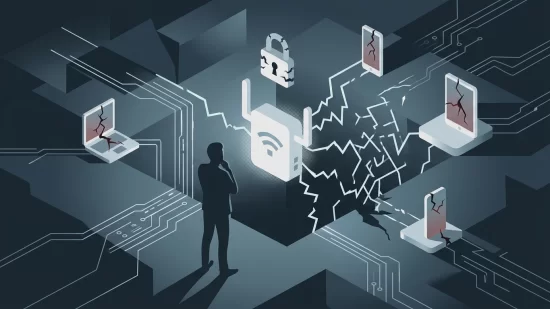
Imagine your home router — that little box quietly blinking in the corner — being secretly hijacked and used as a weapon in global cybercrime. No alarms, no obvious signs, just business as usual on your end. But behind the scenes, your device could be helping criminals steal from banks, break into accounts, or distribute illegal content. This isn’t a far-fetched scenario or a plot from a tech thriller. In March 2026, law enforcement agencies around the world dismantled a botnet called SocksEscort that had silently hijacked over 369,000 home routers, cameras, and DVRs. If you own any of these devices, you might be wondering: Was mine involved? And more importantly, what can I do about it?
This article will guide you through what happened, why it matters, and — most crucially — how to check if your device was compromised and what steps you should take now. It’s not about panic. It’s about being informed, taking control, and keeping your digital life safe.
How Millions of Ordinary Devices Became Cyberweapons
Let’s start with the basics. A botnet is a network of devices infected with malware (malicious software) that allows criminals to remotely control them. In the case of SocksEscort, cybercriminals targeted everyday devices: home routers, security cameras, and DVRs. Once infected, these devices became silent soldiers in a criminal army — helping hackers commit fraud, steal money, and spread illicit material, all without the owners’ knowledge.
The scale is staggering: over 369,000 devices across 163 countries. That’s not just a tech issue; it’s a global problem. And it’s not limited to old or cheap gadgets. Many well-known brands and models were affected, regardless of price or release date. The reality is, if your device connects to the internet and isn’t properly secured, it’s a potential target.
Was Your Device Involved? Why You Might Never Know
Here’s what makes this situation so unsettling: most people whose devices were hijacked had no idea. Unlike a computer virus that might slow down your laptop or show pop-ups, a compromised router or camera often works just fine from your perspective. Your Wi-Fi seems normal. Your smart TV streams as usual. But in the background, your device could be helping criminals bypass security systems, steal from banks, or even distribute illegal content.
Why is it so hard to notice? Botnet malware is designed to be invisible. It doesn’t want to draw attention. There might be minor hints — maybe your internet feels slower, or your data usage spikes unexpectedly — but these are easy to dismiss. Most people only find out if their internet provider contacts them about suspicious activity, or if law enforcement gets involved (which is rare for individual cases).
Common Myths About Device Security — And Why They’re Dangerous
- "My device is new, so it must be safe." Age doesn’t guarantee security. Many new devices ship with outdated software or weak default passwords.
- "I bought a well-known brand, so I’m protected." Major brands have been compromised in past botnet attacks. Reputation isn’t a shield.
- "If my device was hacked, I’d notice something wrong." Most compromised routers and cameras work normally for the owner. That’s by design.
- "Only tech experts get targeted." Criminals prefer easy targets — and that often means ordinary households with unpatched devices.
Believing these myths leaves you vulnerable. The truth is, any internet-connected device can be at risk if it’s not properly secured.
What Does a Compromised Router Look Like?
Let’s be honest: there’s no flashing red light that says "hacked." But there are a few clues that might suggest your router or IoT device has been compromised:
- Internet speeds suddenly drop for no clear reason, even when few devices are connected.
- Your data usage spikes, especially at odd hours when you’re not online.
- You notice unfamiliar devices connected to your network.
- Your internet provider contacts you about suspicious or excessive traffic from your home.
- Settings on your router or camera change without your input.
Still, most people experience none of these signs. That’s why it’s so important to take proactive steps, whether or not you notice anything wrong.
Real-World Consequences: More Than Just Tech Trouble
What’s the worst that could happen if your router is part of a botnet? For many, the answer is unsettling. In the SocksEscort case, criminals used hijacked devices to:
- Break into bank and cryptocurrency accounts, leading to real financial losses. (One New York crypto customer lost $1 million.)
- File fraudulent unemployment insurance claims, draining public resources.
- Distribute illegal content, potentially implicating innocent device owners.
- Launch attacks against companies, causing business losses (like the Pennsylvania manufacturer that lost $700,000).
Beyond the financial impact, there’s a heavy psychological toll. People feel violated, anxious, and sometimes even blamed for crimes they didn’t commit. It’s not just about money — it’s about trust, privacy, and peace of mind.
Why So Many Devices Are Still at Risk (and Why You Should Care)
After the March 2026 law enforcement takedown, the SocksEscort botnet’s command-and-control servers were disabled. That’s a huge win. But here’s the catch: the infected devices themselves weren’t fixed. They’re still vulnerable. Unless owners take action, these devices could be hijacked again by other criminals — or even re-infected if the botnet returns under a new name.
This is a recurring pattern. Law enforcement can disrupt a botnet, but they can’t magically patch millions of home devices. That responsibility falls to each device owner. It’s a frustrating gap in the system, but it’s the reality we live in. And it’s why your actions matter more than ever.
How to Check If Your Router or IoT Device Was Compromised
There’s no universal "botnet detector" for home users, but you can take several steps to investigate and protect yourself:
- Check for firmware updates. Log into your router or device’s settings (often through a web browser at an address like 192.168.1.1). Look for a section called "Firmware Update" or "Software Update." If an update is available, install it. Updates often patch security holes that botnets exploit.
- Change default passwords. If you’re still using the password that came with your device, change it immediately. Use a strong, unique password for each device. Avoid simple words or numbers.
- Review connected devices. Most routers show a list of all connected devices. If you see something unfamiliar, investigate further. It could be a neighbor piggybacking on your Wi-Fi — or something more sinister.
- Disable remote management. Many routers allow remote access for maintenance. Unless you absolutely need this feature, turn it off. Remote management is a common entry point for hackers.
- Reboot your device. Sometimes, simply restarting your router can disrupt malware. But don’t rely on this alone — combine it with the other steps.
- Factory reset if in doubt. If you suspect your device is compromised and can’t resolve the issue, consider a factory reset. This wipes all settings and returns the device to its original state. Be sure to update firmware and set a new password immediately after.
- Monitor your network traffic. Some routers and third-party apps let you see how much data each device is using. Unexplained spikes can be a red flag.
If all this sounds overwhelming, take it one step at a time. Even a few of these actions can make a big difference.
Five Steps That Actually Reduce Your Risk
Let’s cut through the noise. Here are five practical actions you can take today to secure your home network against future botnets:
- Update firmware regularly. Set a reminder to check for updates every few months. Don’t wait for a crisis.
- Use strong, unique passwords for every device. Password managers can help you keep track.
- Turn off features you don’t use. If you never access your router remotely, disable remote management.
- Replace unsupported devices. If your router or camera hasn’t received updates in years, consider upgrading to a model with ongoing support.
- Educate everyone in your household. Make sure family members know not to click on suspicious links or install random apps — sometimes, malware arrives through a simple phishing (fake) email.
These steps aren’t complicated, but they’re often overlooked. Don’t let convenience outweigh security.
Who’s Responsible? (And Why Companies Need to Do Better)
It’s easy to feel frustrated. Why should you, the consumer, be responsible for fixing problems caused by manufacturers or criminals? The blunt truth: many device makers ship products with weak security, confusing settings, and little guidance for regular people. That’s unacceptable. Companies need to do better — by providing clear update instructions, sending security alerts, and building devices with safety in mind from the start.
Until that happens, the burden falls unfairly on everyday users. It’s not your fault, but it is your problem. That’s why being proactive is so important.
Looking Forward: What This Means for the Connected Home
The SocksEscort takedown is a wake-up call. As more of our lives move online — from streaming movies to banking and smart home gadgets — the risks grow. Criminals aren’t going away. They’ll keep looking for easy targets. But with a little knowledge and a few simple habits, you can make your home a much harder target.
Don’t wait for a headline or a phone call from your internet provider. Take action now. Check your devices, update your passwords, and stay alert. You don’t need to be a tech expert to protect yourself. You just need to care enough to act.
Risk Level: High — The threat of home routers and IoT devices being hijacked for cybercrime is real, widespread, and ongoing. While law enforcement can dismantle botnets, only device owners can secure their hardware against future attacks.